June 23rd, 2011
Today one of my WordPress clients couldn’t modify any of her posts. She was using a computer with IE 9. I was on my computer using Firefox, and could modify her posts with no problem. A quick search on Google yielded others with the identical issue. For this client, all I could recommend was to switch Firefox, which she did and verified problem solved. You can view the identical issue reported here on the WordPress.com forum.
Posted in WordPress | 4 Comments »
April 25th, 2011
I had a client today upgrade her WordPress blog to 3.1.1 and when she clicked on any categories or posts, she got a 404 page not found error. Took a while of searching on the web but solution was found. Solution required regeneration of brand new .htaccess file and deletion of one plugin. Details are below.
Read the rest of this entry »
Posted in WordPress | 1 Comment »
March 25th, 2011
This is a great article on how to disable WordPress plugins if you are unable to access the dashboard:
Quickly Disable or Enable All WordPress Plugins via the Database
Posted in WordPress | No Comments »
November 15th, 2010
Here’s a good example of what WordPress spam looks like, disguised as a comment.
Read the rest of this entry »
Posted in Spam Watch, WordPress | 4 Comments »
November 5th, 2010
The following video tutorial illustrates how to add a category to your WordPress blog. This tutorial assumes you know how to login to your WordPress Dashboard.
Read the rest of this entry »
Posted in WordPress | No Comments »
November 9th, 2009
One of my clients asked me how she could embed a PDF document into her WordPress blog today. After some searching, I found the answer and wanted to document it here so that my other clients and blog readers can learn how to do this.
Read the rest of this entry »
Posted in WordPress | No Comments »
June 30th, 2008


I’ve had a few clients ask me this question, so I’m posting the answer here - because it wasn’t super easy to find on the internet. When you get to the end of a line and hit “return” on your keyboard - what do you want to happen? Sometimes you want a new paragraph. Sometimes you might just want a line break. This short tutorial shows you how to accomplish this. It works for WebYep and WordPress…and probably for many other text editors that might use TinyMCE or FCKEditor or others.
Read the rest of this entry »
Posted in WebYep, WordPress | 9 Comments »
May 19th, 2008
 Loves
Loves 
One of the most wonderful things about having your WordPress blog hosted on DreamHost, is the ease of keeping your WordPress blog up-to-date. This is a quick tutorial on how to use the DreamHost one-click-installation feature to keep your blog version current. This article assumes you used the DreamHost one-click-installation to install your WordPress blog using the Advanced Mode.
Read the rest of this entry »
Posted in DreamHost, WordPress | No Comments »
March 16th, 2008

This article contains instructions on how to convert a Blogger Blog into a WordPress Blog. It assumes that you have a Blogger account that uses Gmail, and that you already have WordPress fully installed on your own domain. It also assumes that you know how to use a .htaccess file accomplish page to page redirection. (If this sounds like gibberish and you would like me to do the conversion for you, please contact me.)
Read the rest of this entry »
Posted in Blogs, WordPress | 2 Comments »
March 16th, 2008
Perhaps you like to write your blog articles in Word or received articles from other that are in Word. You have been simply copy and pasting from Word into WordPress, and wondering why the font and style of text doesn’t match some of your other blog articles.
Read the rest of this entry »
Posted in Blogs, WordPress | 7 Comments »
March 4th, 2008
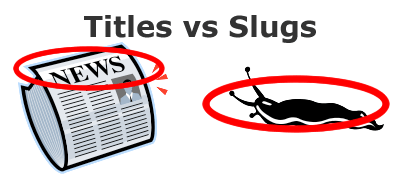
To optimize your blog for search engines (search engine optimization or SEO), you should understand how much of an impact individual post titles can have on your post’s rankings, and how to manipulate post slugs. Titles and slugs?!
Read the rest of this entry »
Posted in Blogs, SEO, WordPress | 1 Comment »
March 2nd, 2008
 Maybe you’ve noticed the orange icon at the top of my blog’s URL or on this page, and you’re wondering what the heck is it.
Or maybe you’ve heard others talking about RSS feeds and felt left out.
Or maybe you just are looking for a way learn about ways to improve your small business website but don’t have time to go around searching for information. Using RSS is a great way to have information that’s customized to your tastes and interests, come right to you - just like a waiter will bring you what your ordered from the menu.
Read the rest of this entry »
Posted in Blogs, WordPress | No Comments »
February 27th, 2008

This is a video tutorial covering how to add an image to a WordPress post. It assumes that you already know how to login to your WordPress Dashboard and know how to write a post.
Read the rest of this entry »
Posted in WordPress | No Comments »
December 31st, 2007
This video tutorial takes you through the basics of creating a post in a WordPress blog. No matter what WordPress looks like on the outside, the administration area is always the same, and therefore this tutorial will apply no matter what theme of WordPress you may use. This video assumes you already know how to login to the WordPress Dashboard.
Read the rest of this entry »
Posted in WordPress | 2 Comments »